New SCPs from Towards the Cloud

Towards the Cloud recently published an article where they described 25+ Production-Ready Policies for 2026. I liked the idea very much so I've decided to encode these policies into my @beesolve/aws-accounts library so you can easily manage them with code.
I am not going to break down what SCP (Service Control Policy) is nor what's new with SCP in 2026 - Towards the Cloud already did a great job doing that and I recommend you to actually click the link and go read their post. This post instead describes how I used Kiro and their Specs mode in order to add these rules to my existing library without needing to write a single line of code.
1. Requirements
This is my original prompt recovered by connecting to the session with kiro-cli chat --v3 --resume-picker:
I want you to create reusable SCP rules collection based on https://towardsthecloud.com/blog/aws-scp-examples article.

There are rules which I want you to convert to code - similar to our own security baseline.
Towards the Cloud articles can be converted to Markdown files just by adding .md at the end of the url like this: https://towardsthecloud.com/blog/aws-scp-examples.md.
I really like the idea and I will be adding this feature to my own blog soon I hope.
After some processing and "thinking" the agent has created requirements.md.
2. Design
I was pretty happy with the requirements - yes, I have read them! So I asked Kiro to generate the Design. It was captured in design.md file with the Mermaid charts and all.
3. Tasks
Again, after reviewing the proposed design I have asked to generate the tasks. There was really nothing else I had in mind so tasks.md has been generated straight away.
After the specification was ready I noticed the following line in an output:
▸ Credits: 25.06 • Time: 594m 7s
Wait, what? 600 minutes? That's 10 hours. The only feasible explanation is that Kiro summed up the time of all the subagents (30+ subagents were running) and the main agent. Or I was really tired that night and I don't remember doing this for over 10 hours.
4. Implementation
The implementation has been divided between multiple sub-agents and each sub-agent has marked its progress in tasks.md file. I have let it churn and just went to sleep.
When I checked the progress the next day I saw the following:
▸ Credits: 49.42 • Time: 27m 20s
Meaning this feature cost me around 50 credits. Since I haven't written a single line of code I think this is very satisfying.
One thing I missed from the requirements was the documentation. I asked Kiro to generate documentation which took another few minutes and credits.
▸ Credits: 3.91 • Time: 9m 24s
Side note: How I ended up with Kiro
If you had asked me 6 months ago if I am ever going to use LLM to help me write the code I would probably snark about it, haunted by my painful memories of early stages of "autocomplete on steroids". I would probably reply something along the lines "I hope not".
Nevertheless in the last 5 months I have tried multiple LLM harnesses1 and multiple LLM methodologies2 and boy it was a thorny road. On that road I ended up creating multiple projects (which I will be writing about in this blog soon) and one of them was library for managing my AWS Organisation through TypeScript code. As part of this I have also introduced a simple enough way of adding SCP to your organisation. Also I've added a few SCP you can use as your security baseline.
I ended up using Kiro CLI because I dislike the features IDEs have added since the AI hype. I love Zed for this single setting they provide:
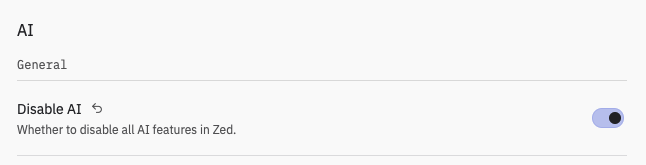
All AI features stays in the terminal, my editor stays clean.
Conclusion
I am really happy that I was able to convert 25+ SCP to reusable code which now I can use in my AWS organisation. You can too - just install @beesolve/aws-accounts v1.9.3 and set it up.
I don't want to estimate how long it would have taken me to do this without Kiro. Most likely it would end up on my neverending TODO list and be discarded or lost after some time. This way I spun up Kiro CLI and after few hours and ~80 credits I have something which is useful for me and I hope for others.
That said - implementing features without writing a single line of code is seductive but it is not as easy as typing some words into a prompt. The repository I've added this feature to was built with LLMs but I have curated every decision and reviewed every line of generated code3. The structured spec workflow works because I understand the underlying infrastructure, architecture and code well enough to review it. LLMs are not a magic silver bullet. They are a power-tool - be careful how you use them and have respect for your users. They deserve a service built on top of quality code, not generated slop.
Lastly I would like to thank people from Towards the Cloud for their hard work designing these useful SCPs.